Articles, pages and publishing choices. Together in the actual CMS.
Your publishing workspace
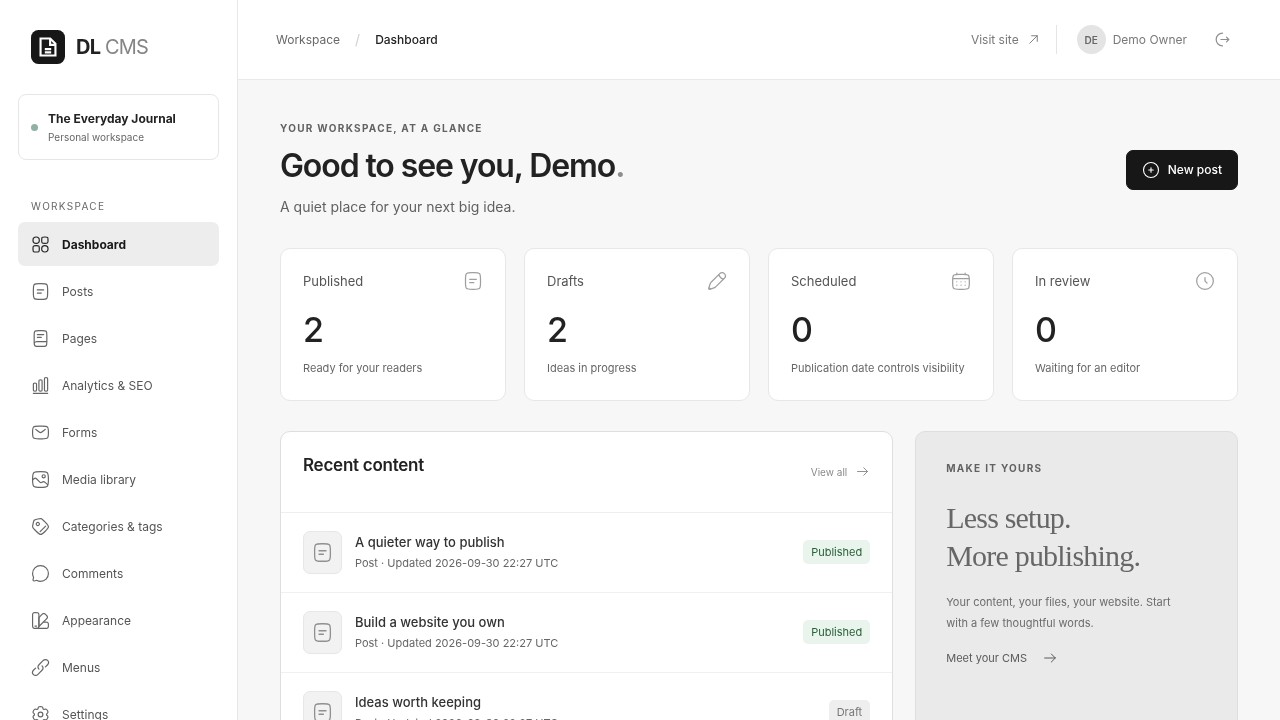
Actual desktop CMS capture with example content. Open the image to inspect it at full size.
01
Your hosting, your control
Install on a server you choose. Your database and files stay in the installation you manage.
02
Keep content in focus
Manage articles, pages, images, and forms from one dashboard.
03
No frontend build step
PHP with SQLite or MySQL/MariaDB. Start publishing without a frontend build process.
FROM FIRST DRAFT TO PUBLISHED PAGE
A clear workflow. Room to make it yours.
Practical tools for everyday publishing, shown in the CMS you will actually use.
01 / WRITE & PUBLISH
Your next story. Ready to be published.
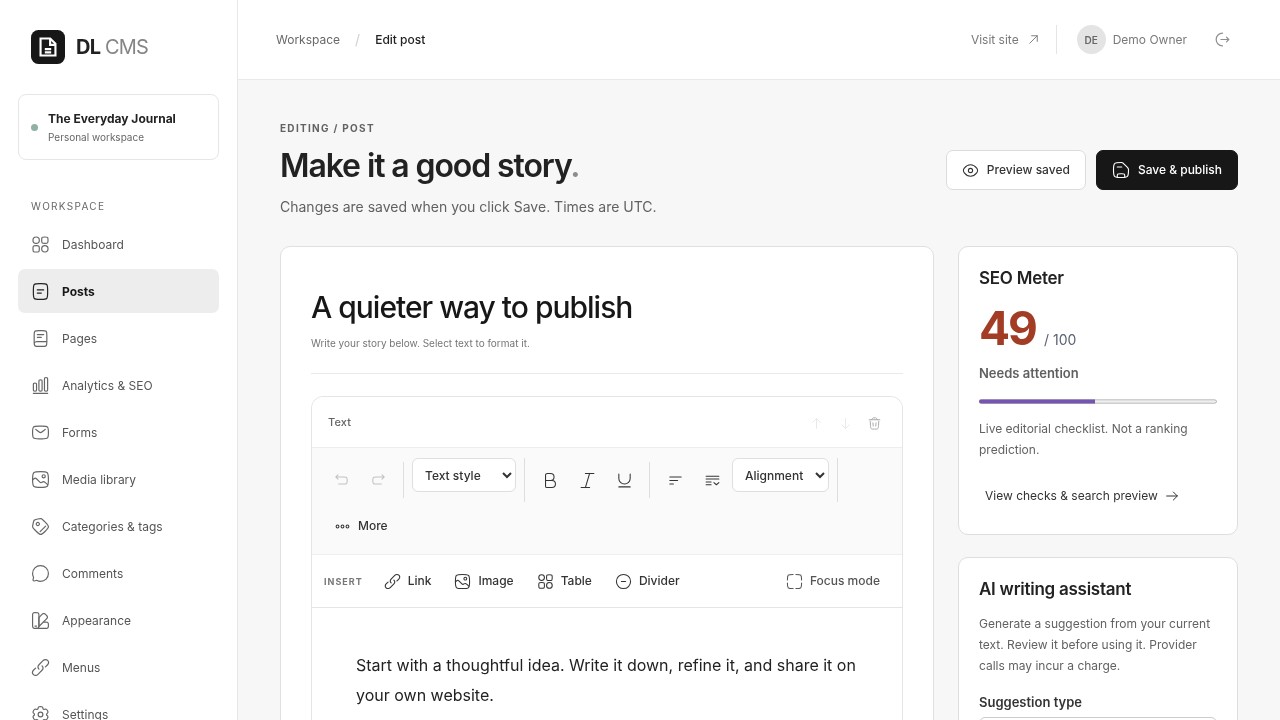
Create articles and pages in a structured content editor. Save a draft, preview your work, and set its publication date.
Revisions and autosave for saved work
SEO titles and descriptions for each page
Categories, tags, RSS, and a sitemap
Article editor — saved demonstration content.
02 / BUILD YOUR PAGES
Arrange a page.
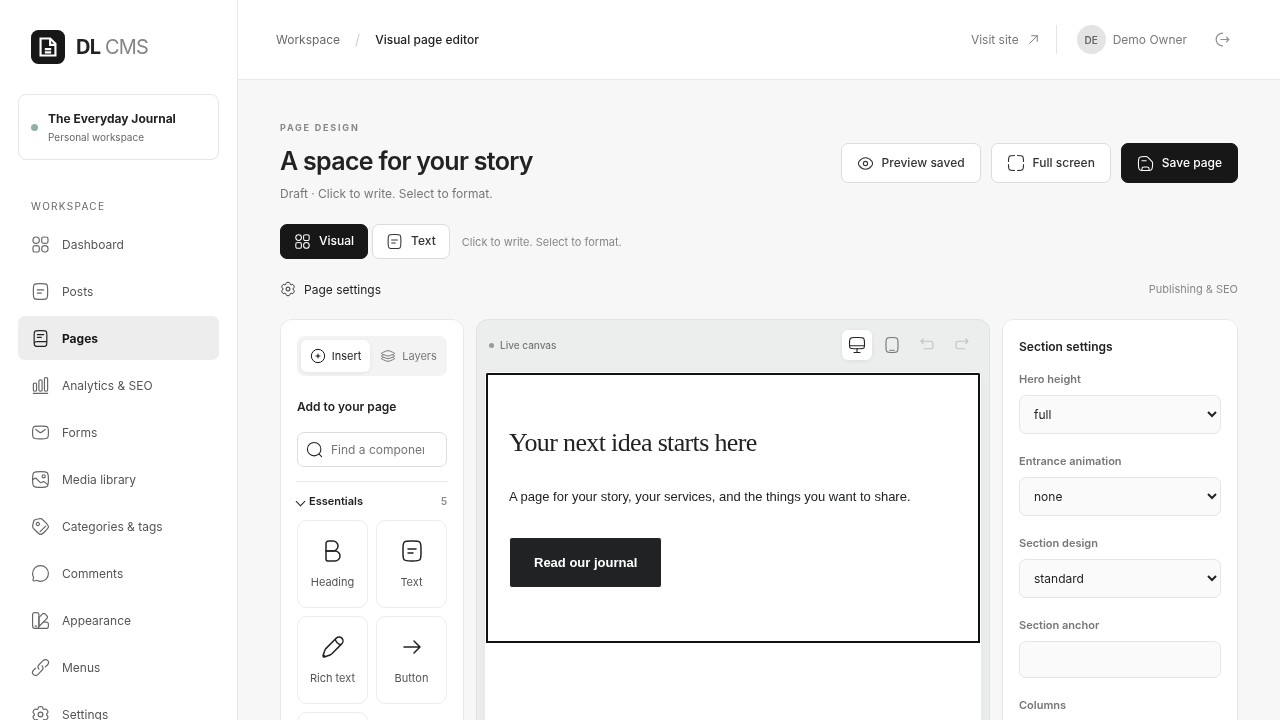
Arrange content on a visual canvas with nine standard element types. Add headings, text, images, or buttons, then preview the page you have built.
A visual canvas for pages
Preview before you publish
A media library with alt text and captions
Visual canvas — page elements in the actual CMS.
03 / MAKE YOURSELF AT HOME
Choose a publishing layout.
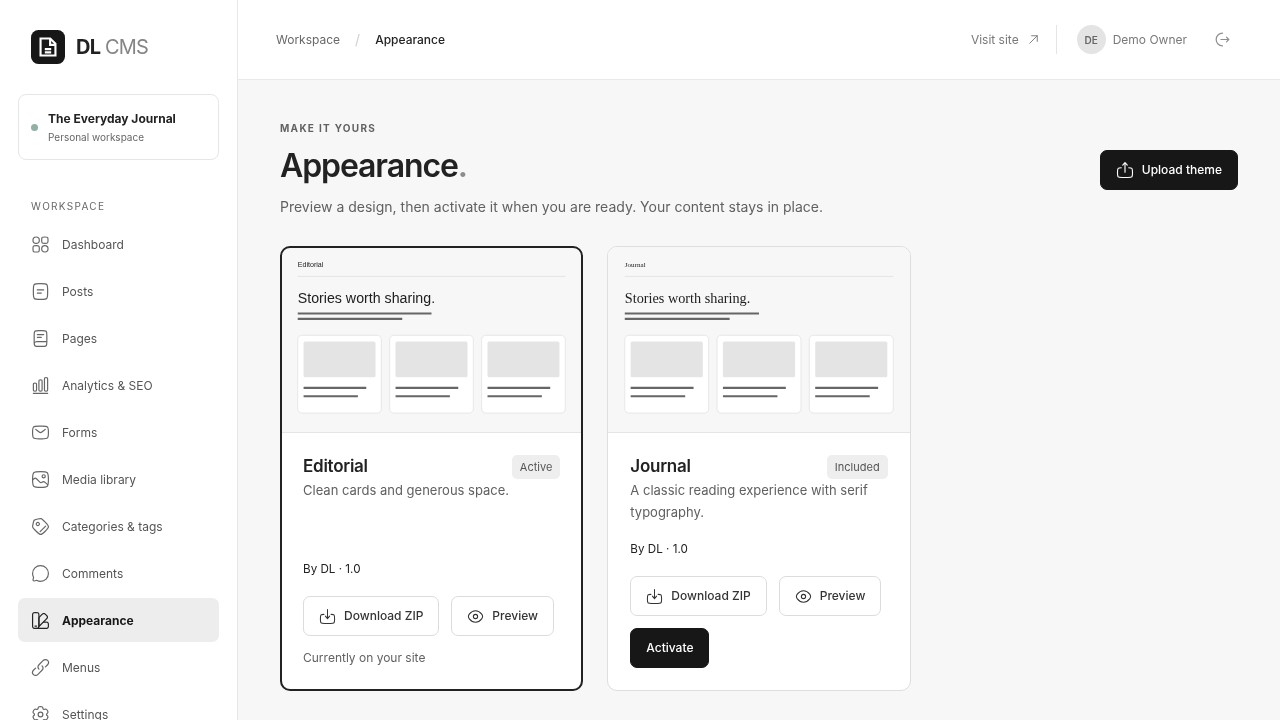
Start a publishing website with the core Editorial and Journal layouts. Manage navigation and content in the CMS, then adjust your standard theme to suit your site.
Two standard layouts in the core
Website menu management
Declarative theme imports without uploaded PHP code
Appearance — standard layouts available in the core.
ONE PUBLISHING WORKSPACE
Made for content. Ready for your team.
Give everyone the right role
Manage administrators, editors, authors, contributors, and subscribers with role permissions and content ownership.
Keep forms and responses together
Build forms and read submissions in your dashboard. Email notifications require your own SMTP configuration.
Clear controls for your workflow
CSRF checks, access permissions, parameterized queries, and upload validation are built in. You still need to maintain your hosting security.
INSTALL ON YOUR OWN HOSTING
Start small. Stay in control.
For people comfortable with hosting configuration and terminal access. Prefer some help? We can handle the initial setup with you.
Choose your hosting
PHP 8.2+, PDO, fileinfo, and SQLite or MySQL/MariaDB. Point your webroot only to the public/ directory.
Prepare the installation
Extract the package and prepare your private ownership key with php dl cms:setup-key. Configure your database in the setup wizard.
Create your owner account
Open the installer with your private setup key. Test your database connection, name your website, and create your private administrator account. Then review and install.
ZIP is required for theme import and export. Domain names and hosting are separate. Upgrades run through the CLI; the package includes backup and restore instructions.
CHOOSE HOW YOU GET STARTED
Free CMS core. Help when you need it.
FOR HANDS-ON WEBSITE OWNERS
Self-hosted core
A CMS for your own hosting, with core publishing tools and standard layouts.
Articles, pages, and a visual canvas
Media, forms, and user roles
Installation, upgrade, and backup instructions
Version 0.4.0-core-preview · GPLv2-or-later · Download available.
Is this a hosted website service with a free account?
This is a self-hosted CMS: you install it on your own hosting and create an owner account for that installation. The free source preview is available from the Download free CMS — Preview button. Read the included installation guide before installing it on your own hosting.
Does the free CMS include a domain name and hosting?
The CMS core is intended to be free for self-hosting. Domain names, hosting, third-party services, and setup or design services are separate.
Can I use WordPress themes and plugins?
This CMS has its own content and theme formats. WordPress themes and plugins are not compatible. The core includes Editorial and Journal layouts and declarative theme imports.
How do backups and updates work?
Your operator runs versioned upgrades through the CLI and backs up the database, media, themes, and private configuration. Instructions are included in the package. Automatic backups and updates are not currently provided.
Are media library files private?
Uploaded media links can be accessed publicly, including images used in private articles. Keep confidential documents in storage that provides private access.
Do I need AI or email services to run the CMS?
No. AI and email are optional and require your own provider configuration. Password recovery is handled by your server operator; email-based recovery is not currently available.
START WITH YOUR WEBSITE IDEA
Have a website in mind? Let’s bring it to life.
Make the CMS your publishing workspace. Designlof can help you build a website that fits your goals and your brand.